Native aviation workspace · Preview
A clearer flight day, from briefing to records.
xChecked brings each sector, contextual checklists, operational notes, records, and practical pilot tools into one focused workspace—built for quick scanning on iPhone and iPad, with key actions on Apple Watch.
Shown from the current development build using fictional demonstration data.
Local firstKeep working with supported local and downloaded data.
Reviewable updatesLinked community changes are shown before they are applied.
Native Apple experienceDesigned for iPhone and iPad, with an Apple Watch companion.
One continuous workflow
Build the flight once. Keep every task connected.
Create a sector with route, schedule, aircraft and crew information, then use the same workspace to record events, run its checklist and preserve the completed flight.
01
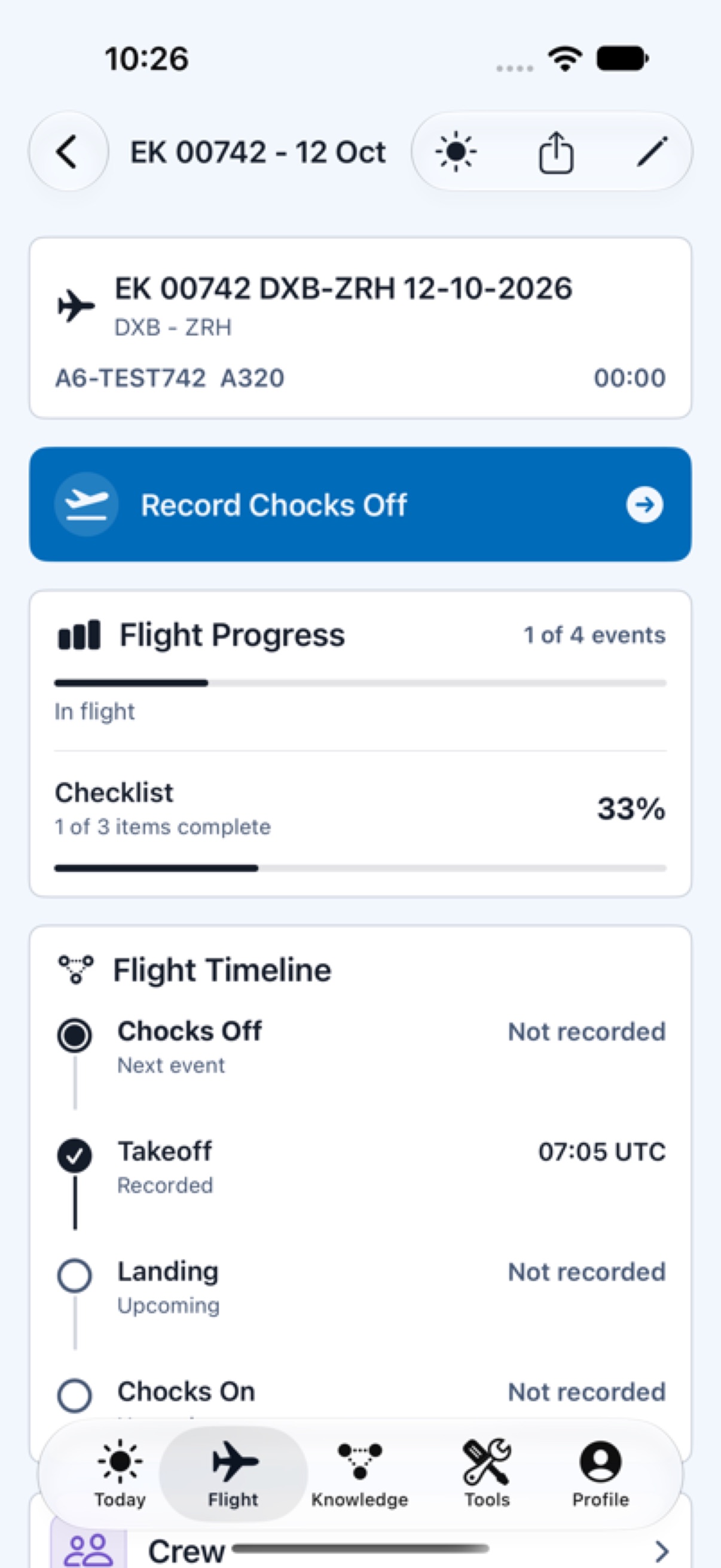
Flight context that stays visible
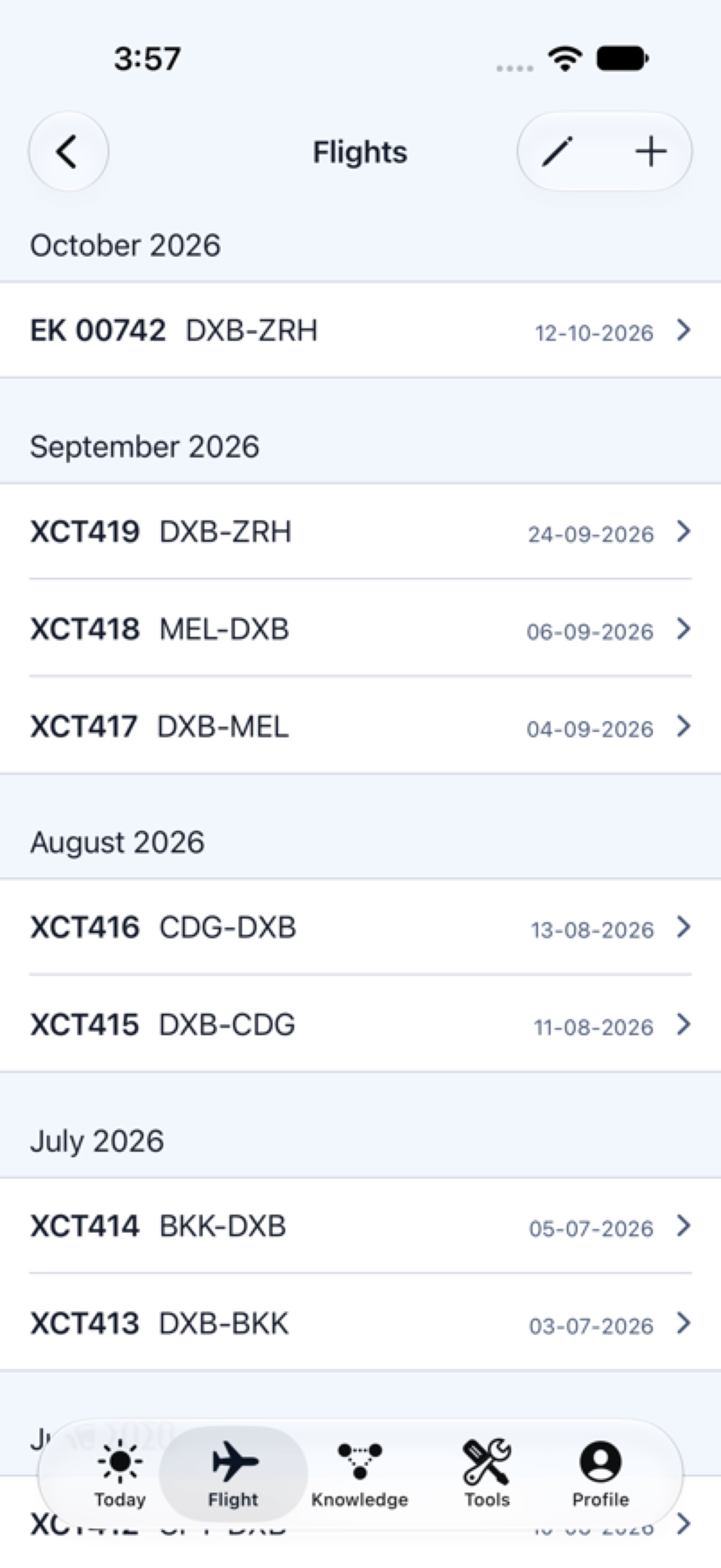
The active workspace keeps the route, aircraft, timeline and checklist progress together. Flight records can be reviewed by month without changing the order of historical entries.
- Route, schedule, aircraft, crew and timing details
- Checks off, takeoff, landing and checks on events
- Flight history, destinations, aircraft and crew records
- Supported flight-log and flight-plan import paths
02
Checklists in the right context
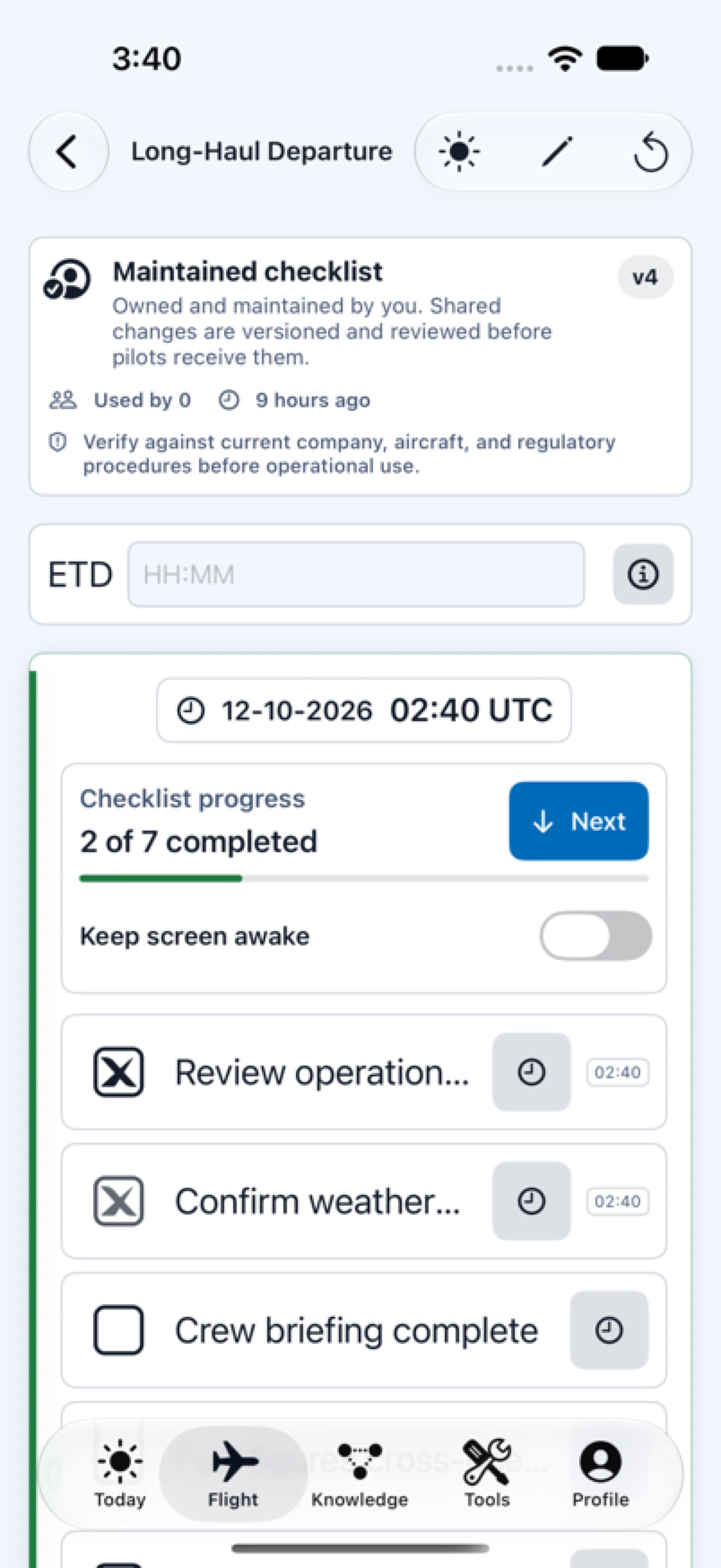
Create reusable checklist templates, then perform a sector-specific copy without rewriting the source. Timed tasks can use ETD-relative offsets, while progress, notes and completion times remain visible.
- Editable templates and per-flight working state
- ETD-relative timing and due information
- Item notes, information references and reset confirmation
- Versioned maintained checklists with explicit safety guidance
Community-maintained knowledge
Useful material can evolve without silently replacing your work.
Discover shared checklists, notes, information items and PA templates. Clone a linked resource to receive reviewable update notices, or make an independent copy when you need full separation.
SourceMaintainer publishes v4Ownership and provenance stay visible
Linked cloneYou review what changedApply selected changes after review
Your workspaceLocal use remains yoursCommunity content is not procedural approval
Operational safeguard
Shared and generated content is informational. Pilots must verify it against current company, aircraft, regulatory and official sources before operational use.
Practical tools, close at hand
Calculate, brief and reference without breaking the flow.
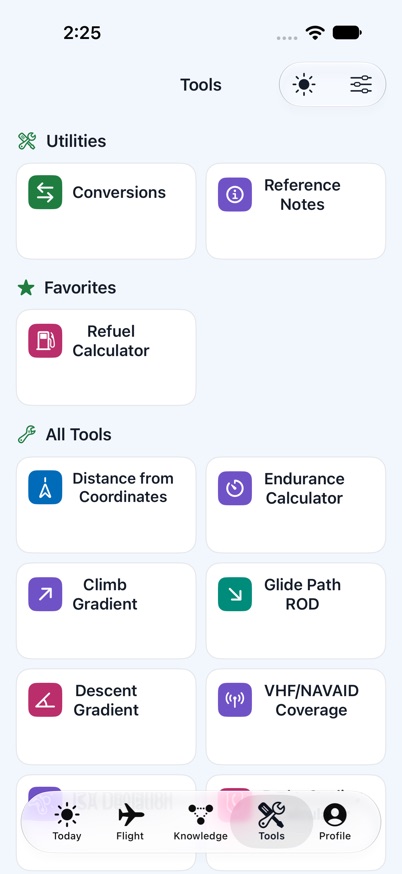
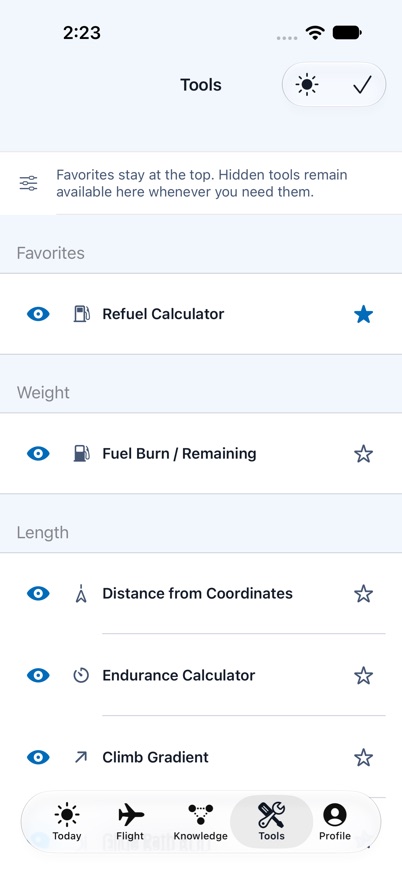
Build a focused tool deck for the way you fly: keep frequent utilities in Favorites, hide the ones you do not use, and restore them at any time. Break planning recalculates from the entered flight context; PA templates keep generated text editable and selectable.
Connectivity: local records and downloaded content support offline workflows. Sign-in, sync, community activity and server-powered AI tools require a connection; some AI tools also require xChecked AI+.
Inside the current build
Real screens. Fictional flight data.
Select a screen to inspect it. Every image is an authentic simulator capture from the current app build.
Designed for Apple devices
The useful view for the device in hand.
iPhone
The full flight-day workspace wherever the duty takes you.
iPad
Adaptive multi-column layouts for planning and reviewing more at once.
Apple Watch
Companion flight timing and checklist actions designed for the wrist.
The current build targets iOS and iPadOS 18 or later and watchOS 11 or later. Interface language is currently English; PA template languages are separate.
Questions, checked
What to know before launch.
Is xChecked available on the App Store?
Not yet. The website shows the current development build while release preparation and App Store submission work continue.
Does xChecked work offline?
Supported local records and previously downloaded content remain usable offline. Account actions, cloud sync, community activity and server-powered AI features require connectivity.
Is community content officially verified?
No. Ownership, provenance, versions and review dates help people assess shared material, but pilots must verify it against approved and current sources before operational use.
What is the difference between a linked clone and a copy?
A linked clone retains its relationship to the source and can surface reviewable upstream updates. An independent copy is separated from that update relationship.
Which languages does xChecked support?
The app interface is currently English. PA templates separately support English, Spanish, Italian and Portuguese text.
Current build preview
Bring the whole flight day into focus.
Flight context, checklists, records, tools and living aviation knowledge—designed to work as one.